You’re checking email over morning coffee when your screen flickers. A message appears demanding $500 in Bitcoin to unlock your family photos, tax documents, and the novel you’ve been writing for three years.
That “urgent delivery” email you clicked yesterday was an invitation for criminals to lock down your digital life. For more, see The Art of Invisibility.
This happens thousands of times a day. The tools and habits that prevent it aren’t complicated, and almost nobody puts them in place until after the damage is done.
That part is rotten. The people sending these emails count on ordinary families believing security is a job for experts, and the industry has spent years making protection sound harder than it is. Most of it takes an afternoon and a handful of habits. The households that skip them pay in lost photos, drained accounts and months of cleanup.
I spent 33 years in technology leadership, including managing enterprise cybersecurity and PCI DSS compliance for Trader Joe’s. What follows is the same advice I’d give to anyone protecting a home system, written in the order that matters most. For more, see why your backups matter.
What Makes a Strong Password Strategy?
If your password is your pet’s name or your birthday, you have no security.Share on X
If your password is “password123,” your pet’s name, or your birthday, you have no security. The average person reuses the same password across multiple accounts. That means one breach compromises everything.
A password manager solves this completely. Tools like Bitwarden (free, open-source), 1Password, or Dashlane generate cryptographically random passwords and store them behind a single master password. You remember one password.
The manager handles the rest. It’ll also alert you when companies you have accounts with suffer data breaches so you can change compromised credentials immediately.
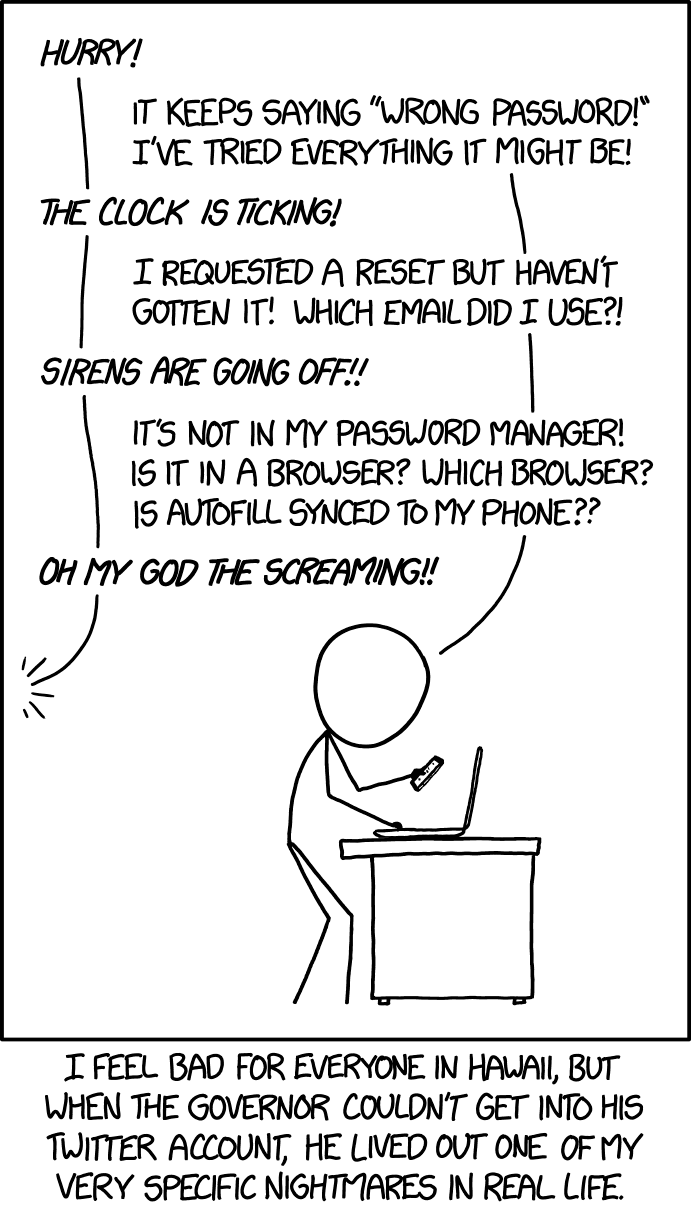
Two-factor authentication is the second thing you need. Even if someone steals your password, they still need your phone or authentication app to get in. Enable 2FA on every account that offers it. Start with email, because email is the master key to everything else. Then banking, social media, and any shopping site with saved payment methods.
Use an authenticator app like Google Authenticator or Authy instead of SMS codes. Phone numbers can be hijacked through SIM swapping attacks. Authenticator apps stay on your device.
I tell everyone who asks me about home security the same thing: if you do one thing this year, turn on two-factor for your email. Password reuse is how a breach at some shopping site you forgot about turns into a stranger resetting your bank password from your own inbox.
Why do software updates matter for home security?
Every piece of software on your computer is a potential entry point. Outdated software is the easiest one to exploit.
When your computer prompts you to install updates, those updates are patching security vulnerabilities discovered since the last version. Delaying updates leaves known holes open. Set your operating system to update automatically during off-hours.
Your operating system isn’t the only thing that needs updating. That PDF reader, media player, or browser plugin you installed months ago are all potential weak links. Enable automatic updates for every application that offers it.
For applications that require manual updates, set a monthly calendar reminder. Check everything. It takes 15 minutes and closes holes that attackers actively scan for.
The habit of clicking remind me tomorrow for three months straight is a bad one. Attackers read the same patch notes you’re ignoring, and the weeks after a fix ships are when they go hunting for the machines that never installed it.
Threat Protection
A virus scanner on its own stopped being enough years ago. Attackers build modern threats to slip past traditional antivirus. That’s why you have to layer protection.
Attackers read the same patch notes you’re ignoring, and the weeks after a fix ships are when they go hunting for the machines that never installed it.
Windows Defender, built into Windows 10 and 11, has evolved into capable protection. For many users it’s sufficient when combined with safe browsing habits. Premium solutions like Bitdefender or Norton add behavioral analysis that catches zero-day threats, secure browsing that blocks malicious sites before they load, real-time phishing detection in email, and ransomware-specific protection with automatic backup features.
A note on Kaspersky: despite its technical capabilities, the U.S. government has banned it from federal systems due to potential Russian government access requirements. Several European security agencies have raised similar concerns. Stick with security software from companies based in countries with strong privacy protections.
Your web browser is where most attacks land. Install uBlock Origin. It eliminates malicious ads that can infect your computer without any clicking required. These malvertising attacks have become sophisticated enough that an ad blocker is a security tool.
Be ruthless about browser extensions. Each one is a potential vulnerability. Only install from official stores, read reviews, and remove anything you haven’t used in months. Outdated extensions become attack surfaces.
How do you secure a home network?
A compromised router gives attackers access to every connected device in your home. Computers, phones, smart TVs, smart doorbells. Everything.
Almost nobody changes the router’s default settings, and in 33 years in technology I found that to be true of technical people too. Start there. Change the admin username and password. Change the network name to something generic that doesn’t broadcast your family name or address. Use WPA3 encryption if available, WPA2 if not. Never use WEP. It can be cracked in minutes with free tools.
Create a guest network for visitors. This keeps their devices isolated from your main network so a virus on a guest’s laptop can’t reach your systems.
Check your router’s admin panel monthly for firmware updates. Manufacturers patch vulnerabilities regularly but these updates are rarely automatic. If your router no longer receives security updates, replace it.
A VPN encrypts all your internet traffic, making it unreadable to anyone intercepting it. This matters most when working from home or accessing sensitive information. NordVPN, ExpressVPN, and Surfshark are reputable options. Avoid free VPNs. If you’re not paying for the product, you’re the product.
Recognizing Threats
Technology can only protect you so far. The most sophisticated security setup in the world can’t protect against the person sitting at the keyboard.
Modern phishing emails aren’t the Nigerian prince letters from 20 years ago. They use exact replicas of legitimate websites, urgent language designed to bypass critical thinking, personal information gathered from data breaches to look real, and fake sender addresses that look like they come from trusted sources.
The single most effective defense: when in doubt, verify independently. If your “bank” emails about suspicious activity, don’t click the link. Open a new browser tab and go to your bank’s website directly, or call their customer service number. This one habit prevents most successful phishing attacks.
Hover over links before clicking to see where they lead. The display text might say “amazon.com” but the actual URL goes somewhere else entirely. Be especially cautious with unexpected attachments, even from people you know. Compromised email accounts send malicious files to the victim’s entire contact list. For more on information security, see Richard’s interview with Norman Kromberg.
Never enter passwords, credit card numbers, or personal information on sites without HTTPS (the lock icon). Be skeptical of pop-up warnings claiming your computer is infected. Legitimate antivirus software doesn’t advertise through browser pop-ups. Download software only from official sources.
The fake virus warning is the scam I hate most. It goes after the people least able to tell a real alert from a fake one, often an older parent on a tablet, and it works by frightening them into paying the very people who are robbing them.
How Should You Back Up Your Home Computer?
Even with perfect security, disasters happen. Hard drives fail, laptops get stolen, houses flood, and sometimes attackers still get through. Backups are your recovery plan.
Follow the 3-2-1 rule: three copies of important data, on two different types of storage media, with one copy stored off-site.
Three copies, two kinds of storage, one copy off-site: the backup rule for a home computer.
Cloud services like Google Drive, iCloud, Dropbox, or OneDrive handle the off-site copy automatically. For complete system backups, Backblaze or Carbonite continuously back up your entire computer for a few dollars per month.
External hard drives provide fast local backups that don’t depend on internet connectivity. Set up automatic backups to run weekly.
Test your backups. A backup you can’t restore is worse than no backup at all because it gives you false confidence. Attempt a restore periodically to confirm the system works and that you know how to use it under pressure.
Physical Security
All the digital security in the world means nothing if someone can physically access your devices.
Use strong PINs, passwords, or biometric locks on all devices. Set them to lock automatically after short periods of inactivity. A few minutes for phones, 10 to 15 minutes for computers.
Position computer screens away from windows. Secure laptops when traveling. Be cautious in hotels, coffee shops, and other public spaces. Keep a locking cabinet for backup drives and important documents.
Staying Current
Cybersecurity is an arms race. Attack methods evolve as defenses improve. Staying informed helps you adapt.
Krebs on Security, the SANS Internet Storm Center, and CISA (Cybersecurity and Infrastructure Security Agency) provide timely, accurate information about new threats. Follow at least one.
Set up Google Alerts for your name and email addresses. This can notify you quickly if your information appears in data breach dumps.
Check credit reports annually at annualcreditreport.com. Review financial accounts regularly for unauthorized activity. Monitor social media privacy settings, as platforms frequently change defaults in ways that share more information than you intended.
Household Security
If you live with family members, security is a team effort. A single compromised device can threaten every system on the network.
Teach everyone in the household to recognize phishing attempts and suspicious websites. Create clear rules about downloading software, clicking links, and sharing personal information online. Make these conversations ongoing.
Your household security is only as strong as the least security-conscious member. Approach this with patience. I’d much rather a family member tell me they clicked something bad within five minutes than hide it for a week, and yelling at people is the surest way to get the hiding. Make security tools as simple to use as possible. If you’d rather hand this off, see my cybersecurity ghostwriting.
Security for Remote Professionals
Your requirements go beyond standard home security if you work from home with sensitive data.
Segment your network. Use a dedicated computer or virtual machine for work, keeping personal browsing on separate devices. This prevents personal security mistakes from affecting professional data.
Business-grade backup solutions like Acronis or Veeam provide enterprise-level features including immutable backups that ransomware can’t alter.
Business leaders face targeted attacks called whaling. They’re spear-phishing campaigns designed for high-value people using personal information gathered from social media and public records.
Enable advanced email security through your business email provider. Establish verification procedures with your team for financial requests or sensitive communications. Many successful business email compromise attacks succeed because unusual requests aren’t verified through a second channel.
Executives are some of the worst offenders here. They’ll approve a wire transfer from an airport gate because an email sounded like the CEO, and they’re often the same people who fight the verification step because it slows them down. Criminals know that and write their emails for exactly that person.
My take
Make it safe for your family to admit they clicked something bad. A confession inside five minutes beats a week of hiding, and yelling is the fastest way to get the hiding. Turn on updates, use strong unique passwords, and keep a backup off the network. If you run a business, verify every money request through a second channel, and don’t exempt the boss. Executives are the ones criminals write those emails for.
Where should you start with home computer security?
| Area | What to do | Why it matters |
|---|---|---|
| Passwords | Use a password manager with a unique password for every account | Reuse means one breach compromises everything |
| Two-factor authentication | Enable it everywhere, email first, with an authenticator app | Email is the master key; SMS codes can be hijacked by SIM swapping |
| Software updates | Turn on automatic updates; set a monthly reminder for manual ones | Outdated software is the easiest entry point to exploit |
| Threat protection | Run Windows Defender or a premium suite, plus uBlock Origin | Ad blocking stops malvertising that infects without a click |
| Home network | Change router defaults, use WPA3 or WPA2, add a guest network | A compromised router exposes every connected device |
| Phishing | When in doubt, verify independently; hover over links first | This one habit prevents most successful phishing attacks |
| Backups | Follow the 3-2-1 rule and test restores | A backup you can’t restore gives false confidence |
| Physical security | Lock devices automatically; keep backup drives in a locking cabinet | Digital security means nothing if someone can touch your devices |
| Household | Teach everyone to spot phishing; make it safe to admit a bad click | Security is only as strong as the least careful member |
Do at least these three things this week: install a password manager and move your five most important accounts to unique passwords, enable two-factor authentication on email and banking, and set your operating system to update automatically.
That foundation alone eliminates the majority of common attack vectors. Build from there as time allows. Monthly firmware checks on your router. A backup system. Browser cleanup. Each step closes another door.
None of this is expensive, and most of it is free. What I can’t stand is watching people treat these habits as optional until the morning the ransomware note appears, because by then the photos, the tax records and three years of a novel are in a criminal’s hands, and the only decision left is whether to pay him.
About the Author: Richard Lowe brings 33+ years of technology leadership and cybersecurity expertise to home computer security education. As former Director of Computer Operations and Technical Services for Trader Joe’s, Richard managed enterprise cybersecurity, led annual PCI DSS compliance initiatives, and oversaw disaster recovery systems protecting critical business infrastructure. He’s officially credited as Technical Editor for KnowBe4’s cybersecurity publication “Cyberheist” and holds CERT-LA emergency response certifications. Industry professionals including Steve Levinson (VP Risk/Security, CISSP/QSA/CISA certified) have validated Richard’s cybersecurity expertise. For complete professional background and cybersecurity credentials, visit thewritingking.com/professional-background-eeat.
For a deeper look at protecting your household, my book Family Cybersecurity covers these topics in full detail.
Home security is a family job. Family Cybersecurity is my book on protecting the people who live in your house, built around the ransomware call that took a friend’s photos.
Frequently Asked Questions
The book on this: Family Cybersecurity is 231 pages on protecting an ordinary household, written for the person who has twenty minutes and no security vocabulary.
- DHS Statement on the Issuance of Binding Operational Directive 17-01, U.S. Department of Homeland Security
- BOD 17-01: Removal of Kaspersky-branded Products, CISA
- Protecting Consumers from SIM Swap and Port-Out Fraud, Federal Communications Commission