“Alexa, shut up!”
I’ve yelled that in the middle of business calls more than once. Back in August I asked one of my Echos for the weather while I was on a call with my friend Joe Rockey. It gave me the temperature, the cloud cover, the thunderstorms and the expected high, when all it needed to say was typical Florida weather for this time of year. Then it kept talking. I told Joe I was about to throw Alexa out the window.
The chatter isn’t what bothers me most. I’ve spent 33 years in enterprise IT, and one of these speakers reached out and grabbed a device I never connected to it. That alarmed me as a security person. It shouldn’t have done that.
Four Alexa devices and one I never invited
I’ve got four of them. Think of a smart speaker as a houseguest. You invited it in to do a couple of small jobs: set a timer, play some music, remind you of things you’d otherwise forget. It’s useful, and I do use mine that way. My five-minute timers run through Alexa, and so do my reminders. I’ve joked that it’s an assistant that nags, and the nagging helps.
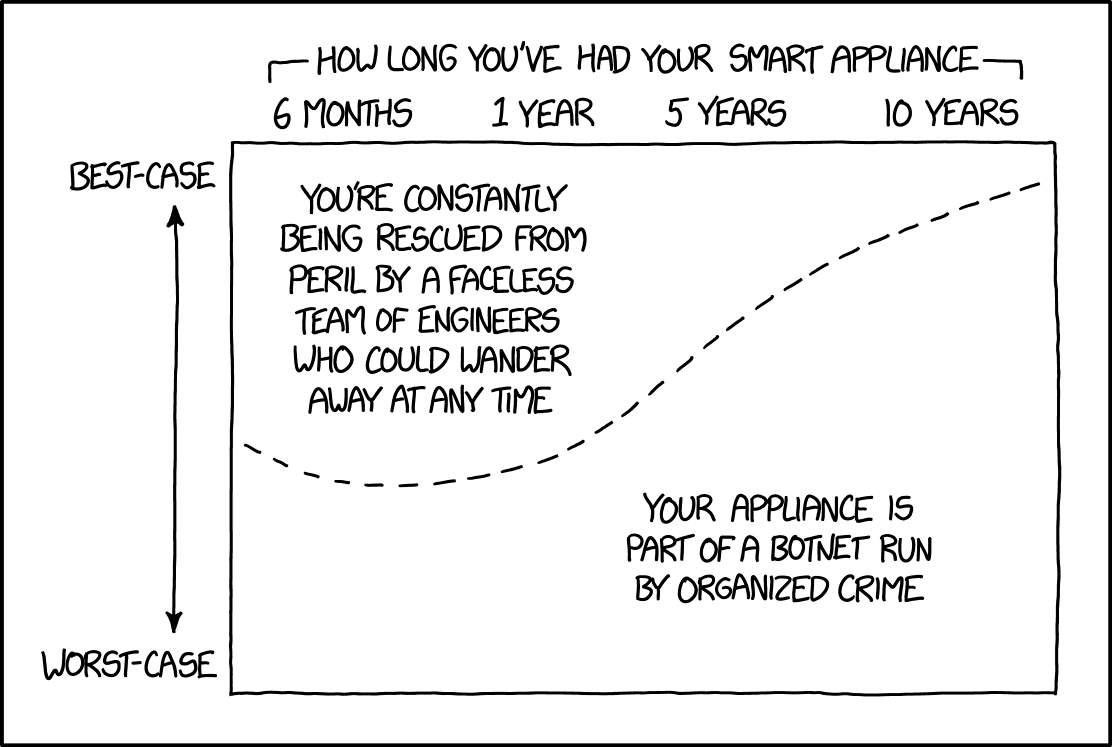
A houseguest who starts answering your phone, taping ads to your refrigerator and rearranging the furniture in rooms you never showed it has stopped being a guest. Now it’s a tenant who doesn’t pay rent.
Three things went wrong with mine. The ones with screens are showing ads all over the place. They answer me when they shouldn’t. And one of them took over one of my devices that I’ve never connected to it. The first two are annoying. The third one is a security problem, and I don’t care how convenient Amazon thinks it’s being. Would you put up with that from a person?
Why should a speaker in my house decide on its own what else in my house it gets to run? Who gave it that permission? I sure didn’t.
Why does an Echo Show keep showing ads?
Because Amazon decided your screen is ad space. Sponsored cards have rotated through the Echo Show home screen for years, Amazon pushed display ads harder in the summer of 2025, and by March 2026 owners were reporting full-screen sponsored ads dropped between their own family photos in Photo Frame mode.
As of 2026 there’s no paid ad-free version of the Echo Show, the way there is for a Kindle. An Amazon spokesperson’s answer to the complaints was that ads “are a small part of the experience and help you discover new content.”
I paid for that screen. So did you. Since when does buying a product make you the product?
Amazon sells ad space on a device you bought, inside your own home, and then refuses to sell you a way out. That’s greedy, and it’s insulting. If a landlord walked into your living room and hung a billboard over the couch, would you thank him for helping you discover new content? Amazon does it with a software update and calls it a feature.
You’ll cut the ads down, though nobody has found a way to kill them. On the Echo Show, open Settings, go to the Home and Clock section, and turn off every Home Content card you don’t need. Fewer rotating cards means fewer slots for sponsored ones. Some owners have reported that switching the device language to English (Canada) cuts the ads way down, because Amazon doesn’t run the same ad program in every market. Results vary, and it’s a workaround Amazon can close any day.
A plain Echo speaker with no screen has nowhere to put a banner. If the ads make you crazy, that’s the cheaper fix.
Why does Alexa answer when nobody said Alexa?
The speaker is listening for one word, all day, and it guesses wrong.
An Echo keeps a short rolling buffer of sound on the device and checks it for the wake word. When it thinks it heard “Alexa,” the light ring turns on and it starts sending what follows to Amazon. Want to guess how many times a day it gets that wrong?
In 2020, researchers at Northeastern University and Imperial College London played more than a hundred hours of Netflix shows at smart speakers and counted the accidental wake-ups. Some speakers woke as many as 19 times a day from TV dialogue alone, triggered by words that sound a little like the wake word. Each false wake sent a slice of whatever was happening in the room up to the cloud.
Mine do it too, and it makes me want to scream.
Amazon sells ad space on a device you bought, inside your own home, and then refuses to sell you a way out.
Most false wakes are just funny, and then one turns into a disaster. In 2018 a couple in Portland, Oregon learned that their Echo had recorded a private conversation and sent it to a person on their contact list. Amazon blamed a string of misheard words: the speaker thought it heard the wake word, then “send message,” then a contact name, then a confirmation. Every one of those guesses was wrong, and the recording went out anyway. How would you feel if that had been your kitchen?
A houseguest who answers your phone, hangs ads on your fridge and starts running rooms you never showed it has turned into a tenant who doesn’t pay rent. – Richard LoweShare on X
False wakes can’t be stopped, but you can make them rarer. Change the wake word first. In the Alexa app, open Devices, pick the speaker, and under Wake Word choose Echo, Computer, Ziggy or Amazon. Pick one nobody in your house says on a normal day and that doesn’t turn up in the shows you watch.
Turn off Follow-Up Mode too, so the speaker stops listening for a second command after it answers. When a speaker in a busy room keeps waking up for no reason, move it somewhere quieter or push the microphone-off button and leave the light red.
How can a smart speaker take control of a device you never connected?
Several ways, and Amazon built most of them on purpose.
Which device mine grabbed matters less than how it could happen at all. Amazon sells convenience by removing the step where you say yes. Frustration-Free Setup lets an Echo, a Fire TV or a compatible router configure new smart devices automatically over Wi-Fi, Bluetooth, Zigbee or Matter. If you ever told Amazon to save your Wi-Fi password, it sits in your account and gets handed to new compatible devices during setup. Devices registered to the same Amazon account show up in the Alexa app on their own.
Echo models with a built-in smart home hub can discover Zigbee and Matter gear nearby. And a manufacturer’s skill, once linked, can import every device that company has on your account, including ones you forgot you owned.
From a security standpoint, every one of those is a door somebody else opened in your house.
Then there’s Amazon Sidewalk. Since June 2021, compatible Echo speakers and Ring devices have shipped with Sidewalk turned on by default. Sidewalk turns your Echo into a bridge that shares a sliver of your internet connection with nearby Amazon devices, including your neighbors’, capped at 80 kbps and 500 MB a month. Amazon designed it with encryption and says it’s safe. Maybe so. I still didn’t ask for my speaker to carry traffic for devices I don’t own, and neither did you.
Does that sound like a houseguest? It sounds like one who copied the house key and handed it to the neighbors.
A device that connects itself without asking is a device you can’t audit. In a corporate network, an unmanaged device joining on its own is a finding that gets written up the same day. At home, Amazon calls it a feature. I’ve written about how a plugin I trusted turned on my own website after the company behind it sold it to somebody else, and the lesson carries over.
Anything allowed to change what it does without permission will eventually do something nobody approved.
What an Echo sends to Amazon in 2026
Everything it hears after the wake word.
A few Echo models used to offer an option called Do Not Send Voice Recordings, and it processed requests on the device itself. Amazon killed it on March 28, 2025, ahead of the Alexa+ launch, and since then every voice request goes to Amazon’s cloud. Alexa+ rolled out to Prime members in the United States on February 4, 2026, free with Prime and $19.99 a month for everyone else, and it runs on that cloud processing.
Owners can still tell Amazon not to keep recordings after it processes them. Nobody can stop it from receiving them.
Amazon’s own history with that data doesn’t fill me with confidence. In 2023 the company agreed to pay $25 million to settle Federal Trade Commission charges that it kept children’s Alexa voice recordings and location data for years, even after parents asked for them to be deleted, and used them to train its algorithms. In the same month, Ring agreed to pay $5.8 million over charges that employees and contractors could watch customers’ private videos.
That makes me angry. Families put these devices in kitchens and kids’ bedrooms because they trusted the brand, and the brand treated their kids’ voices as training data. Who signs off on that? What kind of executive looks at a parent’s deletion request and decides the recordings are worth more than the promise?
I’m a security freak. I run my own home computer security with a local password manager that won’t log me in on a URL it doesn’t recognize and a browser with the hooks back to Google stripped out. Then I put four microphones in my house owned by one of the largest data companies on earth. I see the contradiction, and I don’t like it.
Which Alexa privacy settings should you change today?
Start in the Alexa app and work through it in one sitting. Amazon keeps moving these menus around. It drives me nuts, so treat the paths below as current as of 2026.
Go to More, then Alexa Privacy, then Manage Your Alexa Data. Under voice recordings, choose Don’t Save Recordings. If you want some history for troubleshooting, set recordings to delete automatically after three months instead of keeping them forever. While you’re on that page, turn off the option that lets Amazon use your recordings to improve its services and develop new features. Then go to Review Voice History and delete what’s already there. A spoken “Alexa, delete what I just said” handles the false wakes that catch something they shouldn’t.
Next, go to Settings, then Account Settings, then Amazon Sidewalk, and switch it off. One toggle covers every device on your account.
On a computer, go to amazon.com/mycd, open Preferences, and find Saved Network Passwords. Delete any Wi-Fi passwords Amazon is holding, and turn off Frustration-Free Setup if you don’t want new devices configuring themselves. Back in the Alexa app’s Devices tab, look at every single device listed and remove anything you don’t recognize or don’t use. Check your linked skills while you’re there and unlink any you haven’t touched in months. Each linked skill is another company with a key to your account. Do you even remember who they all are?
Turn off voice purchasing, or put a voice code on it. Turn off Drop In under Communications unless you use it to talk to family. Under Notifications, kill the recommendations and deals Alexa likes to announce out of nowhere. On any Echo Show with a camera, slide the shutter closed when you’re not on a video call, because a piece of plastic over a lens beats any software promise.
None of these settings is hard. What insults me is how many of them come switched on. Why is the customer always the one who has to go find the off switch?
What to unplug, and where a smart speaker never belongs
Settings only go so far. Some rooms need no microphone at all.
Keep smart speakers out of your home office if you take client calls, talk about contracts or handle anyone’s private information. A ghostwriter hears life stories, family secrets and business plans that clients have trusted to nobody else. A speaker waking up in the middle of an interview breaks that trust. Lawyers, accountants, therapists and anybody else who works from home with confidential material face the same risk.
Bedrooms are a judgement call, but I’d keep the screen models out of them. A camera facing a bed is a bad idea no matter whose logo is on it.
Unplug any Echo you don’t use every week. A speaker sitting in a spare room doing nothing still listens, still downloads updates and still carries Sidewalk traffic until you shut that off. Old models are worse, because they stop getting security updates while still sitting on your network. When you get rid of one, deregister it from your Amazon account first and then do a factory reset, so the next owner doesn’t inherit your account.
Put the speakers you keep on their own network. Most home routers sold in the last few years offer a guest network, and many mesh systems can create a separate network for smart home gear. Move the Echos, smart plugs, cameras and TV to that one, and keep computers, phones and anything holding your work on the main network. A compromised smart plug on the guest side can’t see your laptop.
The same thinking runs through the boring security work that keeps you safe, and it costs nothing but twenty minutes in your router’s settings. Is that paranoid? I’ll take paranoid over explaining to a client how their story ended up on a server somewhere.
My take
Unplug the Echo you don’t use every week, and fence off the rest. Mine have turned into bad houseguests, pushing ads and waking up uninvited, and one grabbed a device I never connected. Change the privacy settings, shut off Sidewalk, and move every speaker to a guest network away from your laptop. Deregister and reset any you get rid of. Never put one where you discuss clients or money. I’ll take paranoid over explaining a leak to a client.
Should you get rid of a smart speaker altogether?
Joe doesn’t have Alexa in his house at all. I can’t fault him.
For a lot of people a smart speaker is worth keeping, as long as they know what they bought. Timers, reminders and a fast weather check are real conveniences. For someone who lives alone or has trouble getting around, a voice assistant is a lifeline. Trouble starts when you treat it as a harmless gadget. Underneath the convenience sits a networked microphone and, on the Show models, a camera, run by a company that makes money from ads and data, on software that changes whenever that company decides it should.
My book Family Cybersecurity was written for families who want to protect the people living in their house. Every device on the home network belongs in that conversation, the speaker on the counter included.
If you keep them, lock them down with the settings above and recheck those settings every few months, because updates have a habit of switching things back on. If you can’t stand the ads or the false wakes, sell the Show models and keep a plain speaker. If you can’t live with any microphone you don’t control, unplug them all and use your phone’s timer. It works fine.
Amazon could fix most of this tomorrow. It could sell an ad-free Show, ask permission before any device joins your account, and keep Sidewalk off until you turn it on. Every one of those defaults makes Amazon money, so it doesn’t. Are you surprised? I’ve got no patience for a company that treats customers’ homes as inventory.
Start tonight. Open the Alexa app, delete the recordings, kill Sidewalk and audit every device on your account, then read more on protecting your household in the Cybersecurity Hub. If you’re a security leader with hard-won lessons like these and a book in you, my cybersecurity ghostwriting process is built for that. A guest that hangs ads on your walls, answers your phone and lets itself into rooms you never opened gets shown the door, and when the guest is made of plastic, all it takes is pulling the plug.

Family Cybersecurity is my book on protecting the people who live in your house, written after a friend lost thirty years of family photos to one ordinary looking attachment.